
 Image 1 of 6
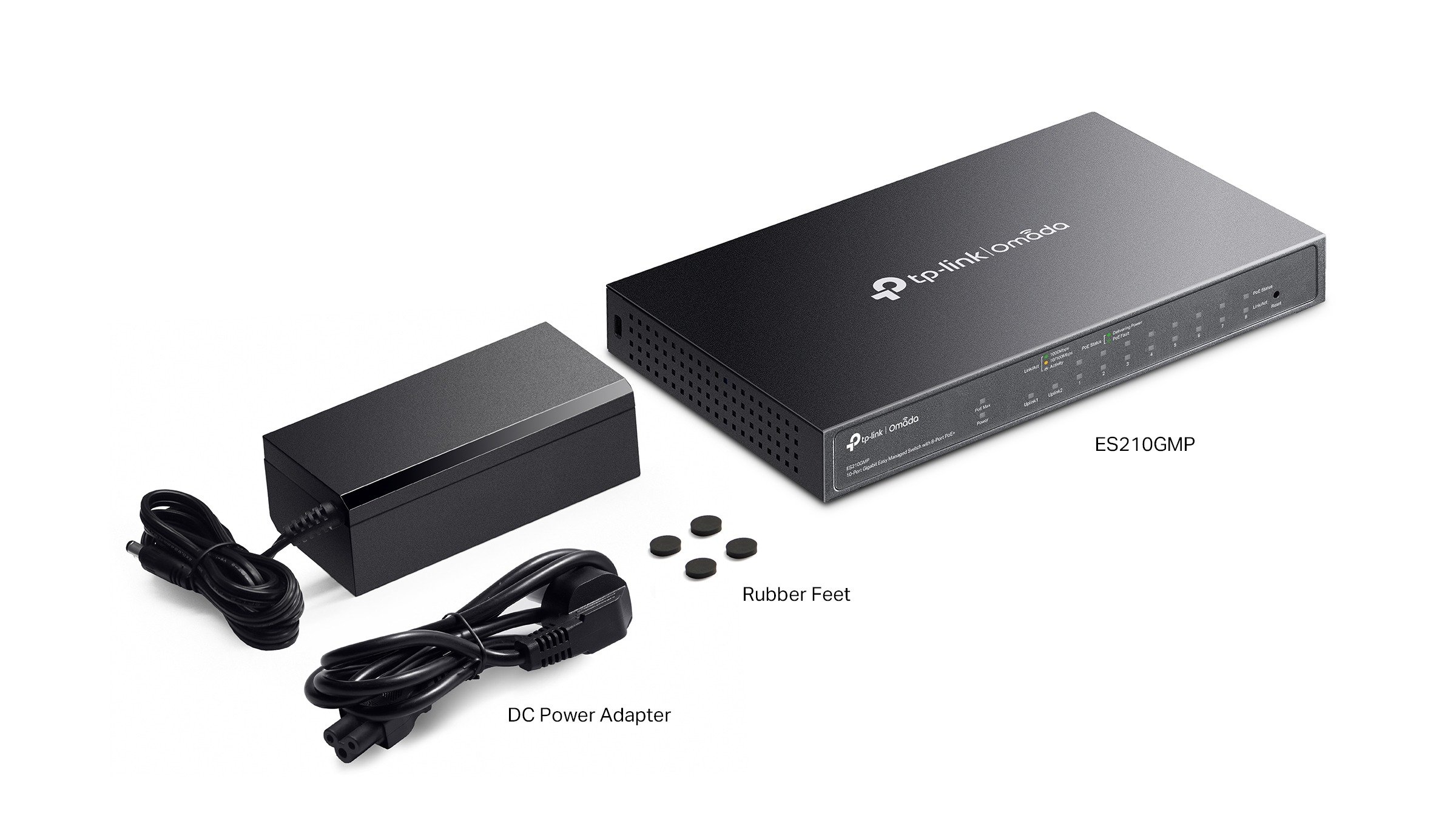 Image 2 of 6
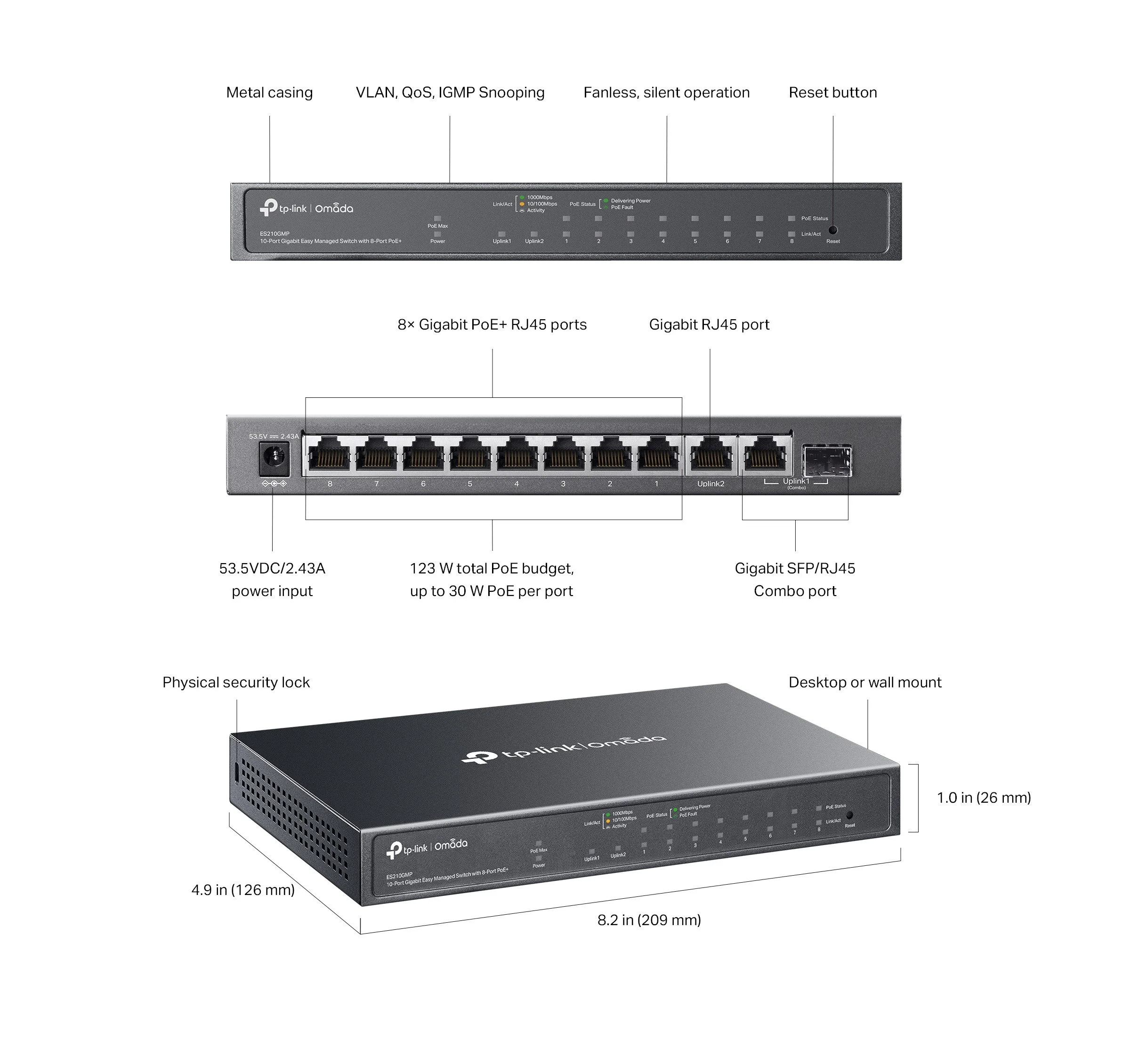 Image 3 of 6
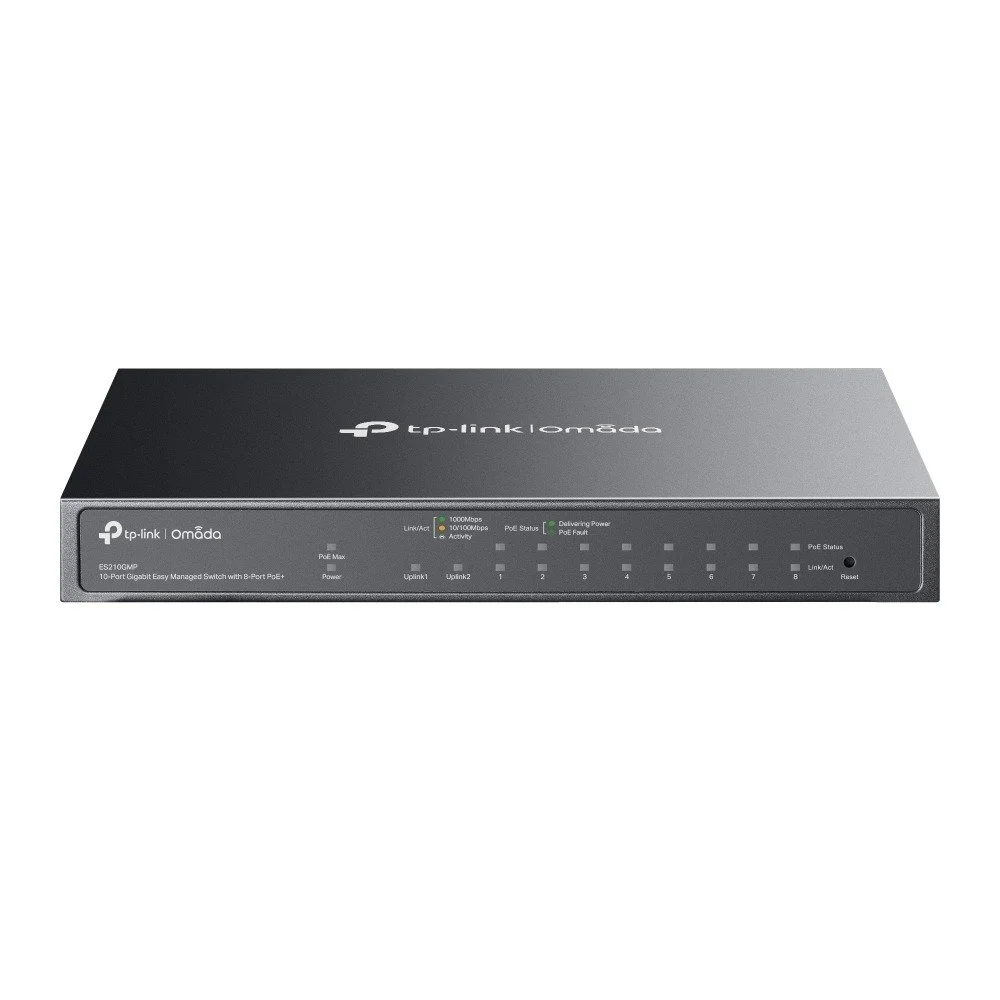 Image 4 of 6
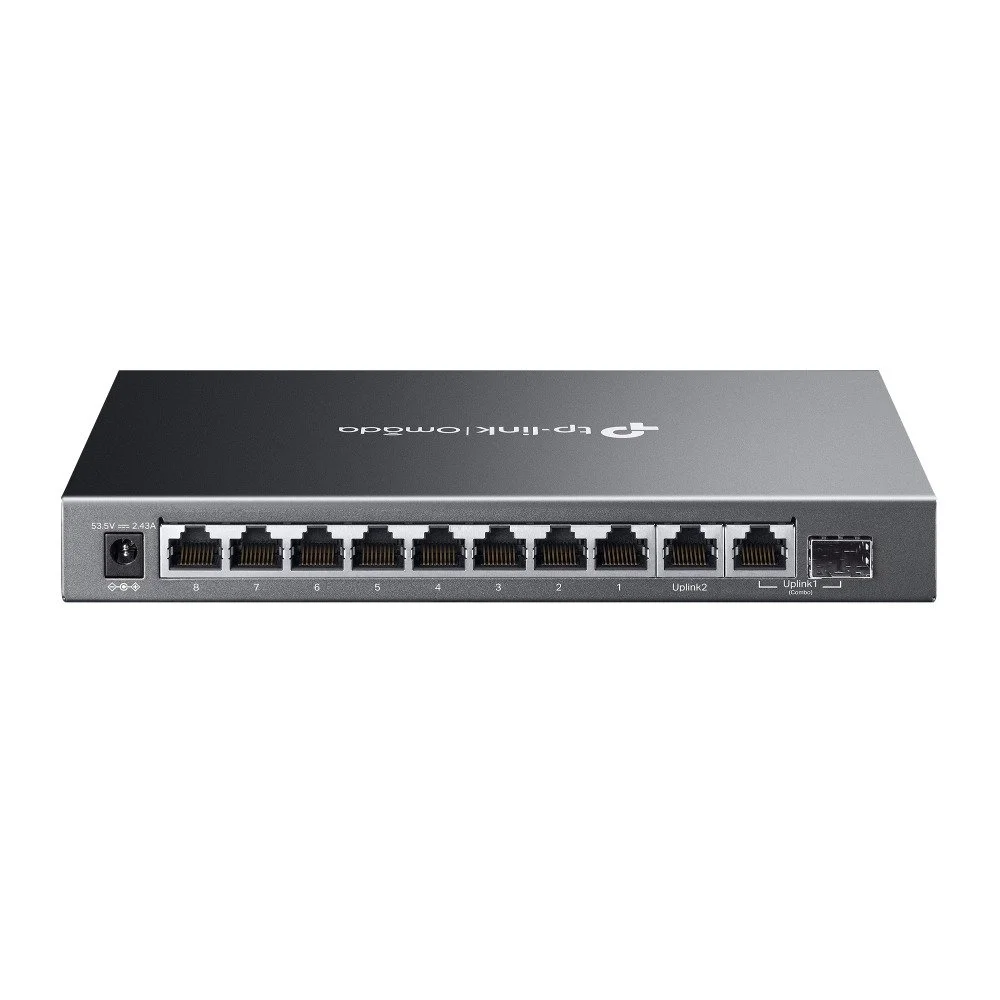 Image 5 of 6
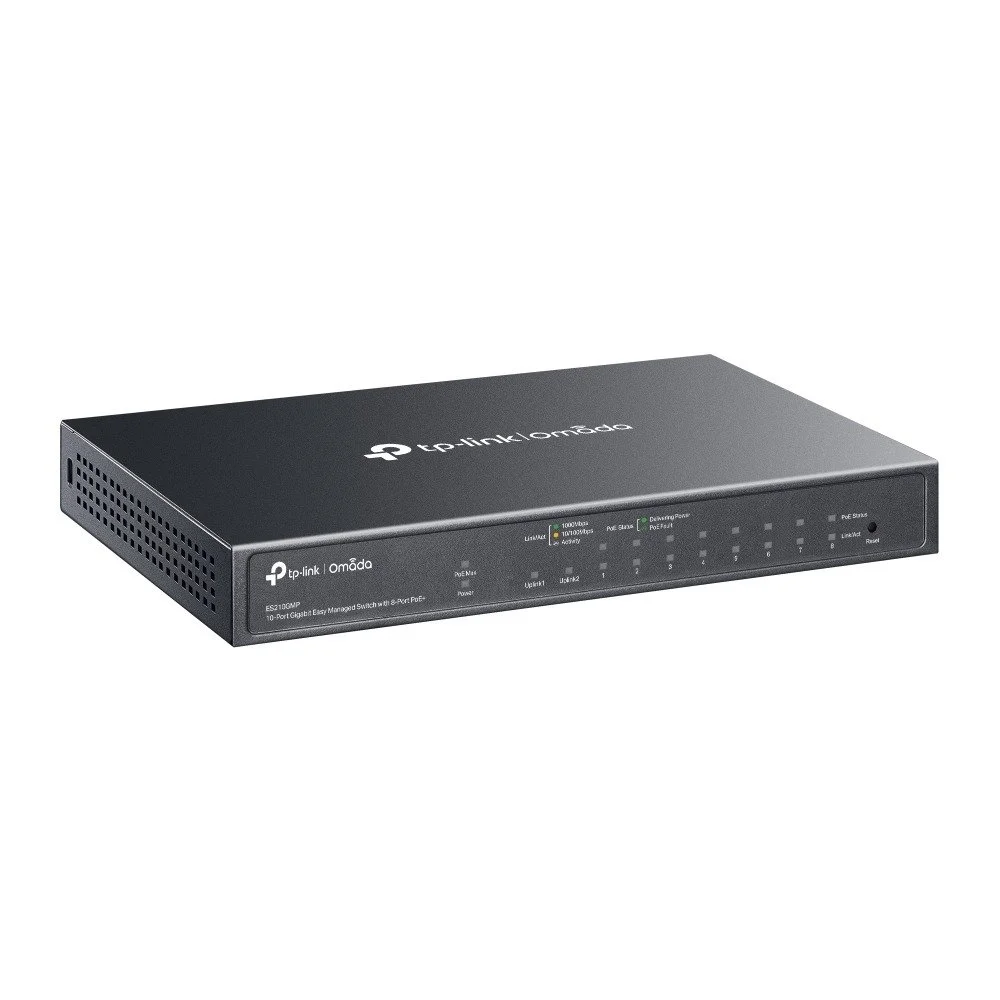 Image 6 of 6
ES210GMP
ES210GMP Omada 10-Port Gigabit Easy Managed Switch with 8-Port PoE+ — TP-Link
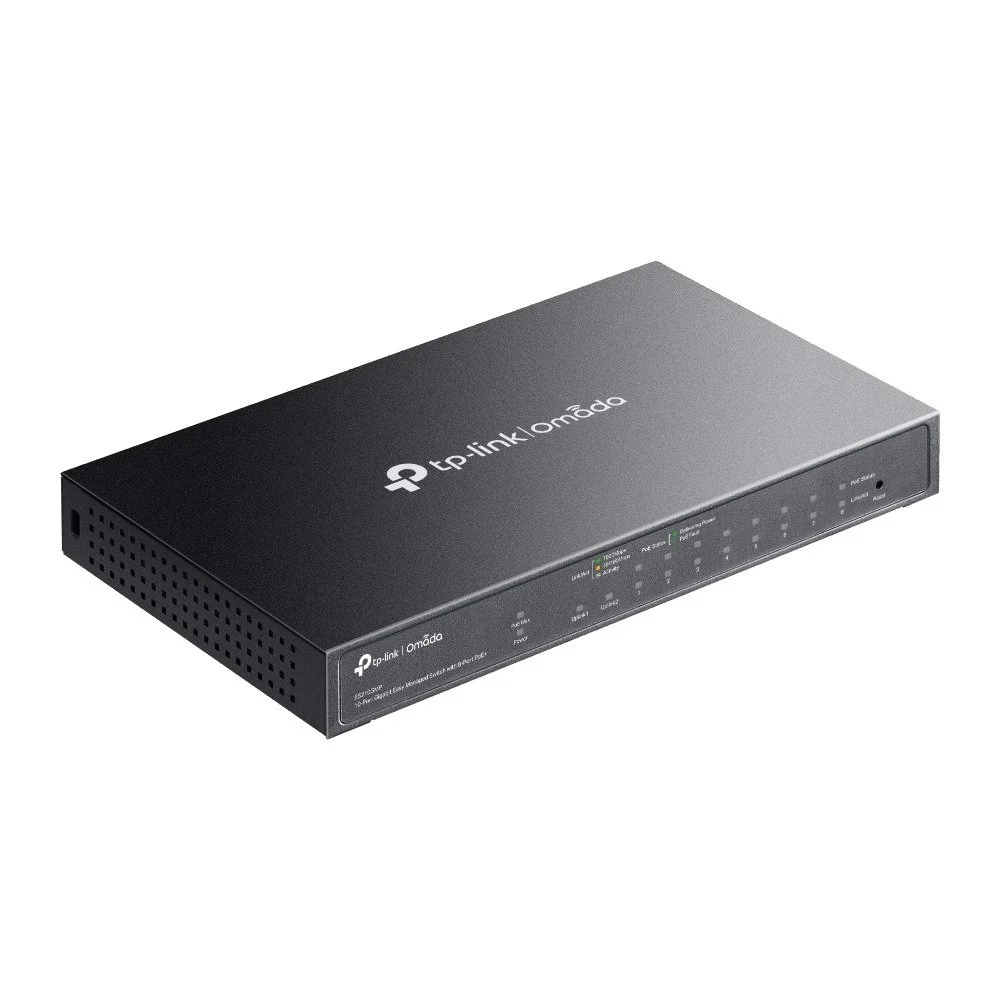
Overview The ES210GMP is a compact, easy-managed Gigabit switch from TP-Link’s Omada line. It offers ten Gigabit RJ45 ports, eight of which supply PoE+ (up to 30 W per port) to power access points, IP cameras, VoIP phones, and other devices. Designed for small offices, retail, and simple network edge deployments, the ES210GMP combines plug-and-play simplicity with basic management controls and Omada ecosystem compatibility for centralized administration.
Key Features
10 Gigabit Ethernet ports (RJ45): 8 PoE+ ports + 2 uplink ports
PoE+ standard: IEEE 802.3at/af, up to 30 W per PoE port
Total PoE budget: 64 W
Easy-managed functionality: essential VLAN, QoS, and link aggregation controls via web UI
Omada-compatible: integrates with Omada SDN controller or cloud-based management for centralized monitoring (controller optional)
Fanless, compact metal housing for quiet operation and desktop or wall-mount placement
Auto MDI/MDIX and wire-speed switching for simple deployment and high-throughput forwarding
Energy Efficient Ethernet (EEE) and power-saving Ethernet features to reduce energy use
Hardware Specifications
Ports:
8 × 10/100/1000 Mbps RJ45 PoE+ ports (ports 1–8)
2 × 10/100/1000 Mbps RJ45 uplink ports (ports 9–10)
PoE Standards: IEEE 802.3at/af
PoE Budget: 64 W total
Switching capacity: 20 Gbps (non-blocking)
Forwarding rate: 14.88 Mpps
MAC Address Table: 8K entries
Packet buffer: 0.5 MB
Power input: Built-in internal power supply, AC 100–240 V
Power consumption (max): Depends on PoE load; switch idle power typically low due to fanless design
Management & Software
Easy-managed web-based GUI for local configuration
Omada SDN compatibility for centralized management (software controller, hardware controller, or cloud access)
VLAN support: port-based VLAN, 802.1Q VLAN
QoS: 802.1p priority and DSCP-based QoS
Link Aggregation: static LACP support
Loop prevention and storm control
Port mirroring and port isolation
IGMP Snooping for multicast efficiency
Firmware upgrade via web UI; basic diagnostic tools (cable test, port statistics)
Physical & Environmental
Form factor: Desktop/wall-mount
Dimensions: compact (exact dimensions vary by region — consult product label)
Weight: lightweight for easy placement
Operating temperature: typical commercial range (consult product datasheet for exact values)
Noise level: fanless, silent operation
Use Cases
Small office wiring closet providing PoE for Wi‑Fi access points, IP phones, and cameras
Retail and hospitality networks requiring a mix of powered devices and uplinks to switches or routers
Edge aggregation for Omada-managed networks where centralized visibility and basic traffic controls are needed
Home offices and prosumers needing reliable Gigabit switching with PoE support
What’s in the Box
TP-Link ES210GMP switch
Power cord
Rubber feet and wall-mount kit (where applicable)
Quick installation guide and warranty documentation
Warranty & Support
TP-Link limited hardware warranty (term varies by
ES210GMP Omada 10-Port Gigabit Easy Managed Switch with 8-Port PoE+ — TP-Link
Overview The ES210GMP is a compact, easy-managed Gigabit switch from TP-Link’s Omada line. It offers ten Gigabit RJ45 ports, eight of which supply PoE+ (up to 30 W per port) to power access points, IP cameras, VoIP phones, and other devices. Designed for small offices, retail, and simple network edge deployments, the ES210GMP combines plug-and-play simplicity with basic management controls and Omada ecosystem compatibility for centralized administration.
Key Features
10 Gigabit Ethernet ports (RJ45): 8 PoE+ ports + 2 uplink ports
PoE+ standard: IEEE 802.3at/af, up to 30 W per PoE port
Total PoE budget: 64 W
Easy-managed functionality: essential VLAN, QoS, and link aggregation controls via web UI
Omada-compatible: integrates with Omada SDN controller or cloud-based management for centralized monitoring (controller optional)
Fanless, compact metal housing for quiet operation and desktop or wall-mount placement
Auto MDI/MDIX and wire-speed switching for simple deployment and high-throughput forwarding
Energy Efficient Ethernet (EEE) and power-saving Ethernet features to reduce energy use
Hardware Specifications
Ports:
8 × 10/100/1000 Mbps RJ45 PoE+ ports (ports 1–8)
2 × 10/100/1000 Mbps RJ45 uplink ports (ports 9–10)
PoE Standards: IEEE 802.3at/af
PoE Budget: 64 W total
Switching capacity: 20 Gbps (non-blocking)
Forwarding rate: 14.88 Mpps
MAC Address Table: 8K entries
Packet buffer: 0.5 MB
Power input: Built-in internal power supply, AC 100–240 V
Power consumption (max): Depends on PoE load; switch idle power typically low due to fanless design
Management & Software
Easy-managed web-based GUI for local configuration
Omada SDN compatibility for centralized management (software controller, hardware controller, or cloud access)
VLAN support: port-based VLAN, 802.1Q VLAN
QoS: 802.1p priority and DSCP-based QoS
Link Aggregation: static LACP support
Loop prevention and storm control
Port mirroring and port isolation
IGMP Snooping for multicast efficiency
Firmware upgrade via web UI; basic diagnostic tools (cable test, port statistics)
Physical & Environmental
Form factor: Desktop/wall-mount
Dimensions: compact (exact dimensions vary by region — consult product label)
Weight: lightweight for easy placement
Operating temperature: typical commercial range (consult product datasheet for exact values)
Noise level: fanless, silent operation
Use Cases
Small office wiring closet providing PoE for Wi‑Fi access points, IP phones, and cameras
Retail and hospitality networks requiring a mix of powered devices and uplinks to switches or routers
Edge aggregation for Omada-managed networks where centralized visibility and basic traffic controls are needed
Home offices and prosumers needing reliable Gigabit switching with PoE support
What’s in the Box
TP-Link ES210GMP switch
Power cord
Rubber feet and wall-mount kit (where applicable)
Quick installation guide and warranty documentation
Warranty & Support
TP-Link limited hardware warranty (term varies by region)
Technical support and firmware updates available from TP-Link and Omada community resources
Notes
Total available PoE power is shared among all PoE ports; check device power requirements before connecting multiple high-power devices.
For full advanced features and large-scale deployment, integrate with the Omada SDN controller. Local web UI delivers core management for standalone use.
For exact dimensions, environmental limits, regulatory approvals, and the most current firmware features, consult the official TP-Link product documentation or the Omada controller release notes.
ES210GMP Omada 10-Port Gigabit Easy Managed Switch with 8-Port PoE+ — TP-Link
Overview The ES210GMP is a compact, easy-managed Gigabit switch from TP-Link’s Omada line. It offers ten Gigabit RJ45 ports, eight of which supply PoE+ (up to 30 W per port) to power access points, IP cameras, VoIP phones, and other devices. Designed for small offices, retail, and simple network edge deployments, the ES210GMP combines plug-and-play simplicity with basic management controls and Omada ecosystem compatibility for centralized administration.
Key Features
10 Gigabit Ethernet ports (RJ45): 8 PoE+ ports + 2 uplink ports
PoE+ standard: IEEE 802.3at/af, up to 30 W per PoE port
Total PoE budget: 64 W
Easy-managed functionality: essential VLAN, QoS, and link aggregation controls via web UI
Omada-compatible: integrates with Omada SDN controller or cloud-based management for centralized monitoring (controller optional)
Fanless, compact metal housing for quiet operation and desktop or wall-mount placement
Auto MDI/MDIX and wire-speed switching for simple deployment and high-throughput forwarding
Energy Efficient Ethernet (EEE) and power-saving Ethernet features to reduce energy use
Hardware Specifications
Ports:
8 × 10/100/1000 Mbps RJ45 PoE+ ports (ports 1–8)
2 × 10/100/1000 Mbps RJ45 uplink ports (ports 9–10)
PoE Standards: IEEE 802.3at/af
PoE Budget: 64 W total
Switching capacity: 20 Gbps (non-blocking)
Forwarding rate: 14.88 Mpps
MAC Address Table: 8K entries
Packet buffer: 0.5 MB
Power input: Built-in internal power supply, AC 100–240 V
Power consumption (max): Depends on PoE load; switch idle power typically low due to fanless design
Management & Software
Easy-managed web-based GUI for local configuration
Omada SDN compatibility for centralized management (software controller, hardware controller, or cloud access)
VLAN support: port-based VLAN, 802.1Q VLAN
QoS: 802.1p priority and DSCP-based QoS
Link Aggregation: static LACP support
Loop prevention and storm control
Port mirroring and port isolation
IGMP Snooping for multicast efficiency
Firmware upgrade via web UI; basic diagnostic tools (cable test, port statistics)
Physical & Environmental
Form factor: Desktop/wall-mount
Dimensions: compact (exact dimensions vary by region — consult product label)
Weight: lightweight for easy placement
Operating temperature: typical commercial range (consult product datasheet for exact values)
Noise level: fanless, silent operation
Use Cases
Small office wiring closet providing PoE for Wi‑Fi access points, IP phones, and cameras
Retail and hospitality networks requiring a mix of powered devices and uplinks to switches or routers
Edge aggregation for Omada-managed networks where centralized visibility and basic traffic controls are needed
Home offices and prosumers needing reliable Gigabit switching with PoE support
What’s in the Box
TP-Link ES210GMP switch
Power cord
Rubber feet and wall-mount kit (where applicable)
Quick installation guide and warranty documentation
Warranty & Support
TP-Link limited hardware warranty (term varies by
ES210GMP Omada 10-Port Gigabit Easy Managed Switch with 8-Port PoE+ — TP-Link
Overview The ES210GMP is a compact, easy-managed Gigabit switch from TP-Link’s Omada line. It offers ten Gigabit RJ45 ports, eight of which supply PoE+ (up to 30 W per port) to power access points, IP cameras, VoIP phones, and other devices. Designed for small offices, retail, and simple network edge deployments, the ES210GMP combines plug-and-play simplicity with basic management controls and Omada ecosystem compatibility for centralized administration.
Key Features
10 Gigabit Ethernet ports (RJ45): 8 PoE+ ports + 2 uplink ports
PoE+ standard: IEEE 802.3at/af, up to 30 W per PoE port
Total PoE budget: 64 W
Easy-managed functionality: essential VLAN, QoS, and link aggregation controls via web UI
Omada-compatible: integrates with Omada SDN controller or cloud-based management for centralized monitoring (controller optional)
Fanless, compact metal housing for quiet operation and desktop or wall-mount placement
Auto MDI/MDIX and wire-speed switching for simple deployment and high-throughput forwarding
Energy Efficient Ethernet (EEE) and power-saving Ethernet features to reduce energy use
Hardware Specifications
Ports:
8 × 10/100/1000 Mbps RJ45 PoE+ ports (ports 1–8)
2 × 10/100/1000 Mbps RJ45 uplink ports (ports 9–10)
PoE Standards: IEEE 802.3at/af
PoE Budget: 64 W total
Switching capacity: 20 Gbps (non-blocking)
Forwarding rate: 14.88 Mpps
MAC Address Table: 8K entries
Packet buffer: 0.5 MB
Power input: Built-in internal power supply, AC 100–240 V
Power consumption (max): Depends on PoE load; switch idle power typically low due to fanless design
Management & Software
Easy-managed web-based GUI for local configuration
Omada SDN compatibility for centralized management (software controller, hardware controller, or cloud access)
VLAN support: port-based VLAN, 802.1Q VLAN
QoS: 802.1p priority and DSCP-based QoS
Link Aggregation: static LACP support
Loop prevention and storm control
Port mirroring and port isolation
IGMP Snooping for multicast efficiency
Firmware upgrade via web UI; basic diagnostic tools (cable test, port statistics)
Physical & Environmental
Form factor: Desktop/wall-mount
Dimensions: compact (exact dimensions vary by region — consult product label)
Weight: lightweight for easy placement
Operating temperature: typical commercial range (consult product datasheet for exact values)
Noise level: fanless, silent operation
Use Cases
Small office wiring closet providing PoE for Wi‑Fi access points, IP phones, and cameras
Retail and hospitality networks requiring a mix of powered devices and uplinks to switches or routers
Edge aggregation for Omada-managed networks where centralized visibility and basic traffic controls are needed
Home offices and prosumers needing reliable Gigabit switching with PoE support
What’s in the Box
TP-Link ES210GMP switch
Power cord
Rubber feet and wall-mount kit (where applicable)
Quick installation guide and warranty documentation
Warranty & Support
TP-Link limited hardware warranty (term varies by region)
Technical support and firmware updates available from TP-Link and Omada community resources
Notes
Total available PoE power is shared among all PoE ports; check device power requirements before connecting multiple high-power devices.
For full advanced features and large-scale deployment, integrate with the Omada SDN controller. Local web UI delivers core management for standalone use.
For exact dimensions, environmental limits, regulatory approvals, and the most current firmware features, consult the official TP-Link product documentation or the Omada controller release notes.